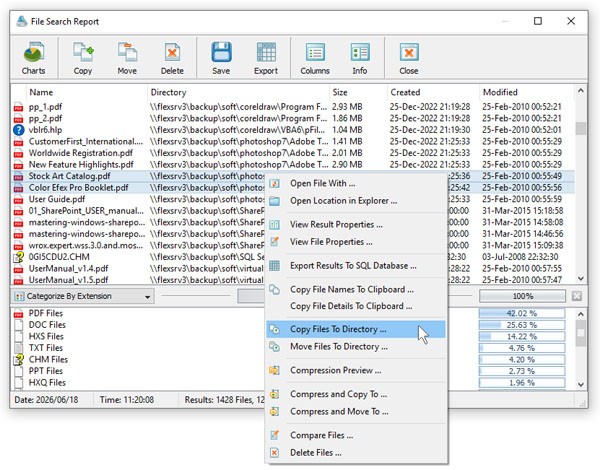
VX Search Server provides a full-scale client GUI application, which can be used to control one or more VX Search servers locally or via the network.
The client GUI application allows one to perform file search operations, review file search results, schedule periodic file search operations,
save file search reports and export file search results to an SQL database.
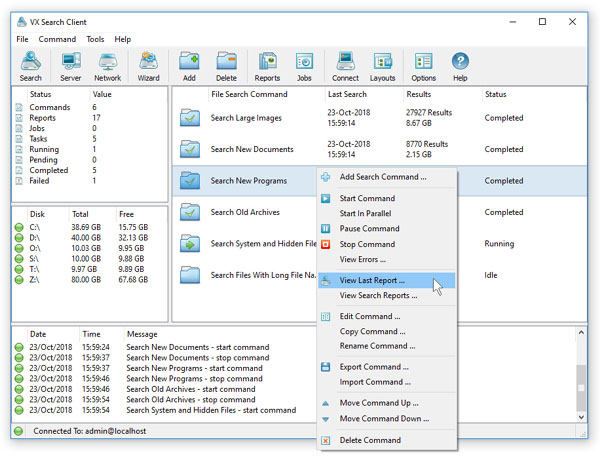
In order to perform a simple file search operation, press the 'Search' button located on the main toolbar, add one or more file matching rules
and specify disks, directories and/or network shares to search in. For advanced file search options, press the 'Options' button located on the
file search command dialog.

VX Search Server allows one to pre-configure sophisticated file search operations as user-defined file search commands and then execute these
search commands in a single mouse click or schedule periodic file search operations, automatically generate various types of file search
reports and/or setup conditional E-Mail notifications or custom file search actions executed when a user-defined search command finds
a user-specified number of results.